Built for non-speaking people. On iPad.
Be in the conversation, in your own voice.
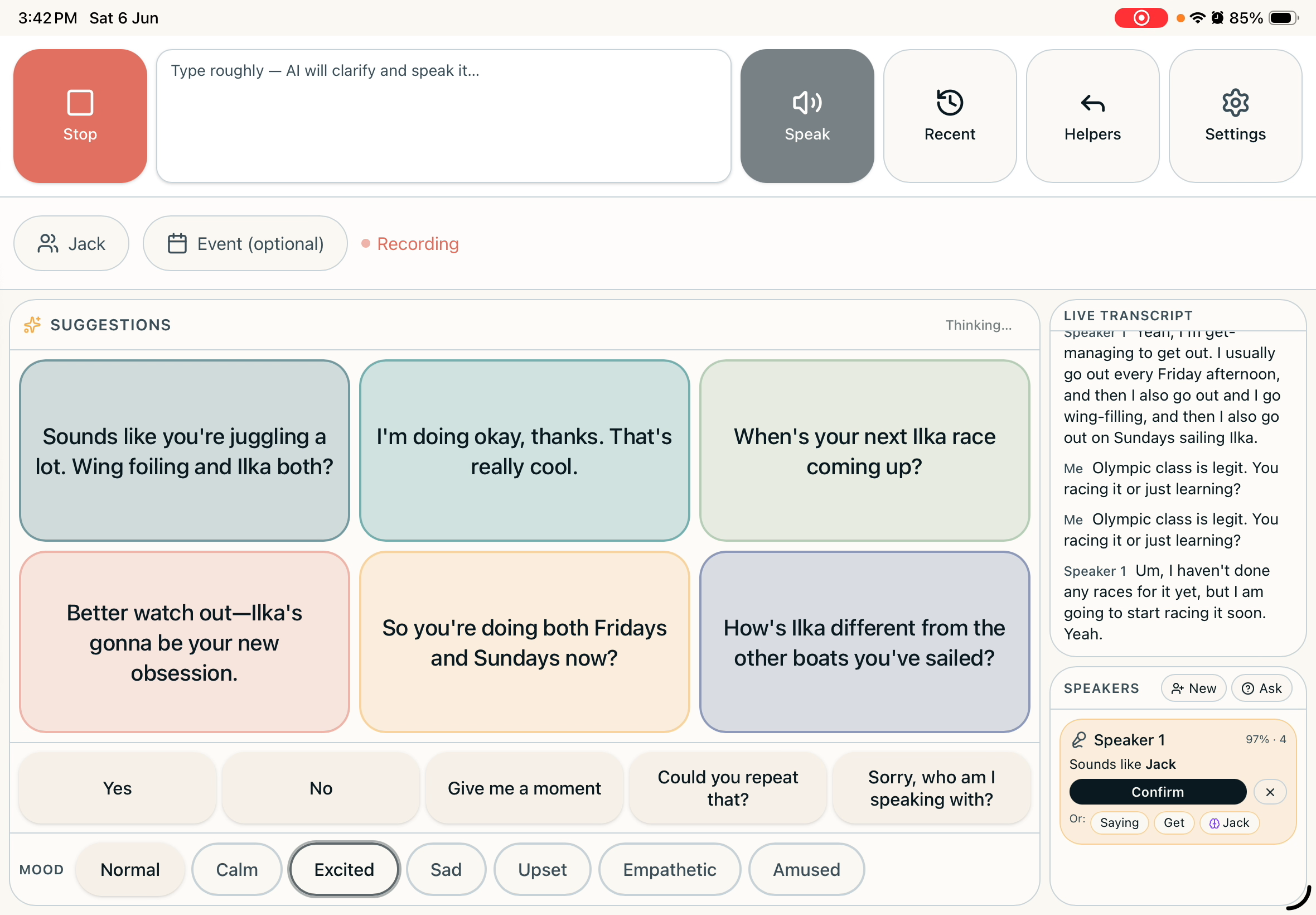
Parley listens to the room, works out who's talking, and offers replies you can tap to say out loud — in a cloned version of your own voice. Built for people who can't speak, or can't type fast enough to keep up.
Voice recognition runs on the iPad. Your account and conversation history sync to our secure cloud — switch that off any time.
This was built for one man. Now it's built for more.
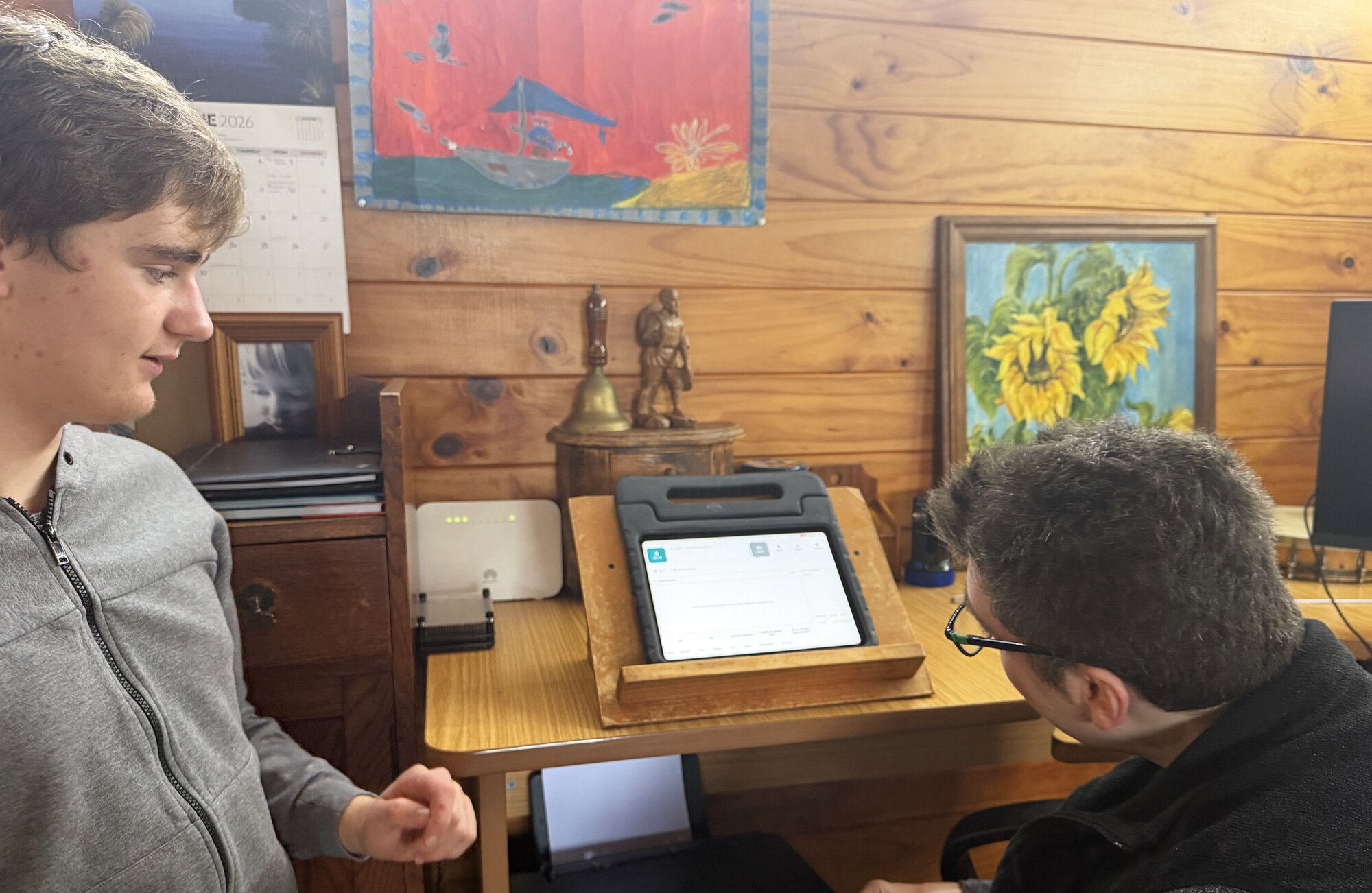
Parley was built for James, a non-speaking man with cerebral palsy. Every feature exists because something in a conversation almost didn't happen for him. We're now opening it to others who deserve to be heard the same way.
If it works for James, it can work for others who deserve to be heard.Read our story
Conversations move fast. Parley keeps you in them.
For someone who can't speak — or can't type quickly — the moment to reply is often gone before the words are ready. Parley closes that gap.
You sound like you, not a robot.
Replies are spoken in a voice cloned from yours. Quick phrases play instantly, so 'yes' and 'give me a moment' never feel late.
It knows who's in the room.
Parley learns the voices of the people you talk to — partner, parent, sibling, support worker — and labels each line as they speak.
Replies that fit the moment.
Suggestions are shaped by who's there, where you are, and what was just said. Tap one to speak it aloud.
See it in action
One conversation, start to finish.
How a Parley conversation works
Set the scene
Tell Parley who's likely to be there.
Press record
One big button. A live transcript appears.
It knows who's speaking
Familiar voices get labelled automatically.
Tap to reply
Suggested replies tuned to the moment — spoken in your own voice.
Everything Parley does, in one screen.
Cloned voice
Every reply spoken in a voice that sounds like you.
Quick phrases
Five everyday answers, always there, zero latency.
Type-and-expand
Type 'tea pls thx' — Parley says 'A tea would be lovely, thank you.'
Set the tone
Pick playful, warm or direct — suggestions follow your lead.
Drafts for messages, emails, posts
Reply helpers, drafted in your voice, without leaving the app.
Event prep
Heading somewhere new? Parley pre-loads who's likely there.
Honest about what's on your iPad — and what isn't.
Voice recognition — the model that learns who's speaking — runs on the iPad itself; the live microphone audio in the moment of a conversation never leaves it. Conversations, voice samples, profile and settings sync to our secure Firebase by default so they travel across devices and we can help when something breaks. You can switch sync off per account. We don't sell your data, and we say so plainly on the privacy page.
See exactly what syncsKnow someone Parley could help?
We're letting a handful of families and AAC users in first, so we can get this right with you. Tell us about the person Parley would be for — we'll come back personally.
Or email hello@parley.help.